01
Explicit scope over assumed context
Every action identifies the records being read or changed instead of relying on phrases such as “this record.”
A conversational interface that helps teams search, ask questions, and perform common CRM operations without hiding the permissions, validation, and accountability behind every system change.
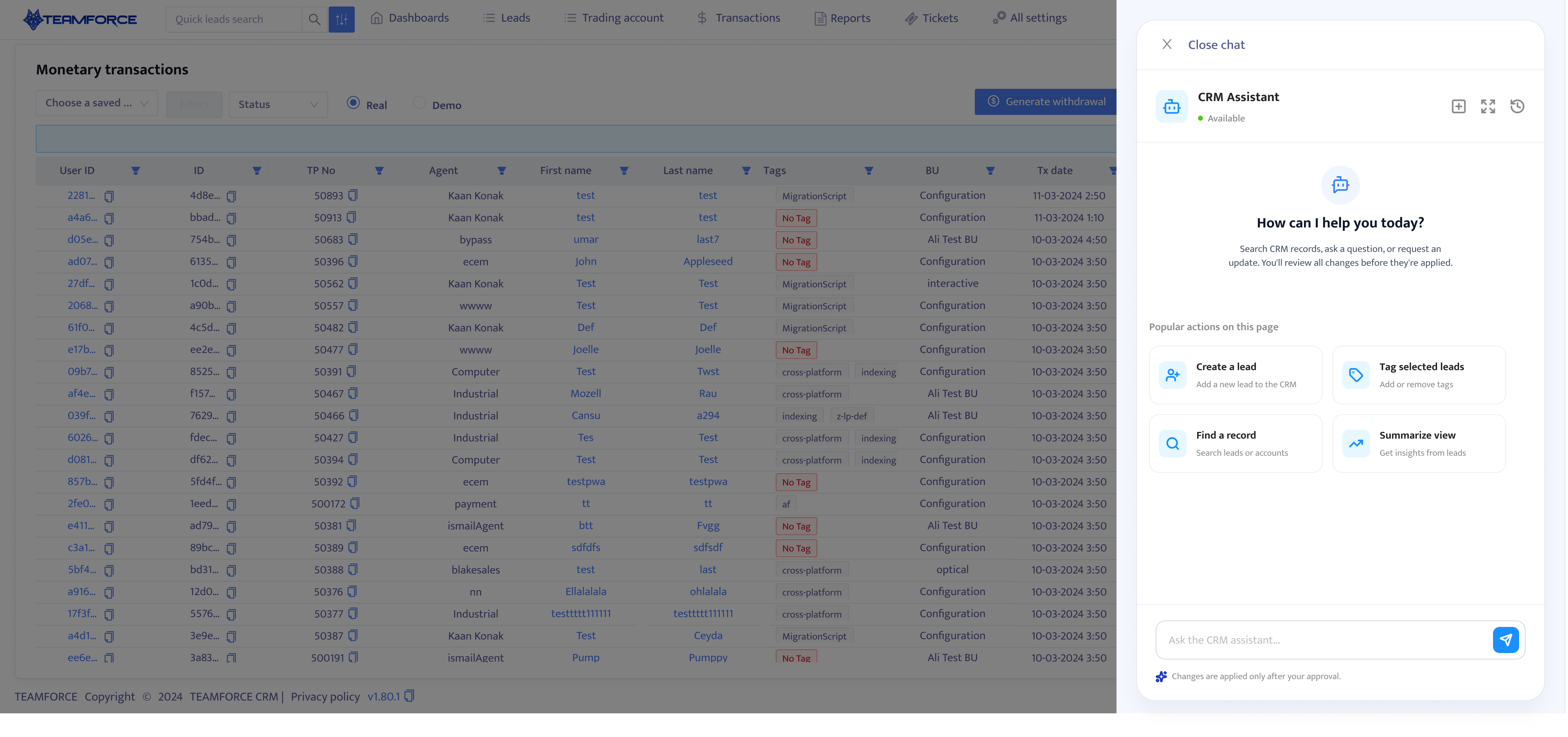
The initial idea was simple: place an AI chatbot inside the CRM and let it handle lead creation, tagging, password resets, and batch operations through natural language.
The real design problem was more demanding. The assistant had to locate the correct records, respect user permissions, recover from errors, and make every change understandable before it was applied.
Reframing the problem
Early flows generated simulated responses for ambiguous requests, displayed disconnected confirmation cards, and used a generic “Thinking” state that gave users no insight into which records or values were being accessed.
A normal chatbot primarily generates responses. This assistant needed to coordinate structured operations that could update records, notify users, or change account states. The project was therefore reframed around controlled CRM access rather than unrestricted conversation.
From
How might we add an AI chatbot to the CRM?
To
How might we let users safely query and modify CRM data through conversation?
MVP constraints
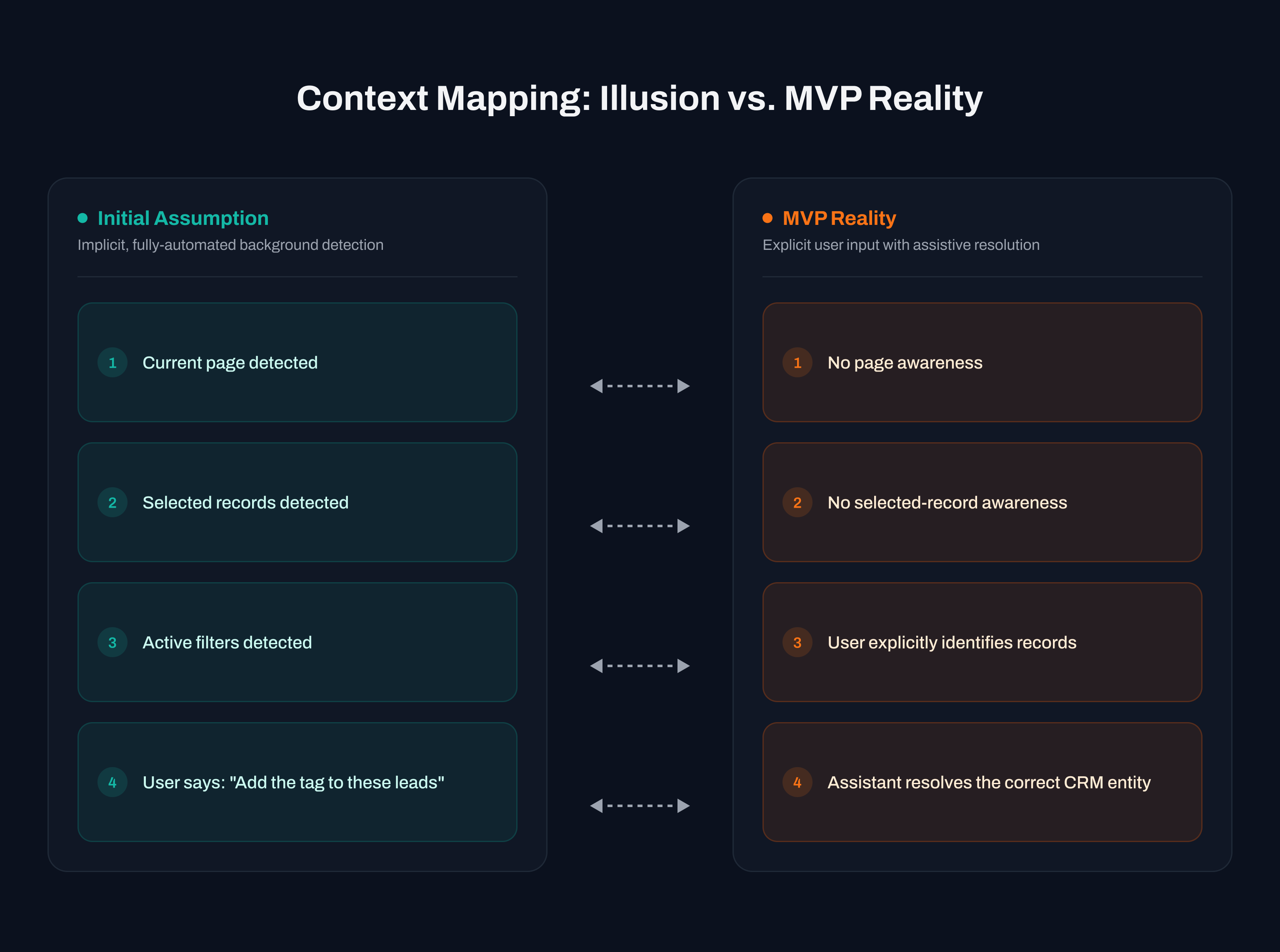
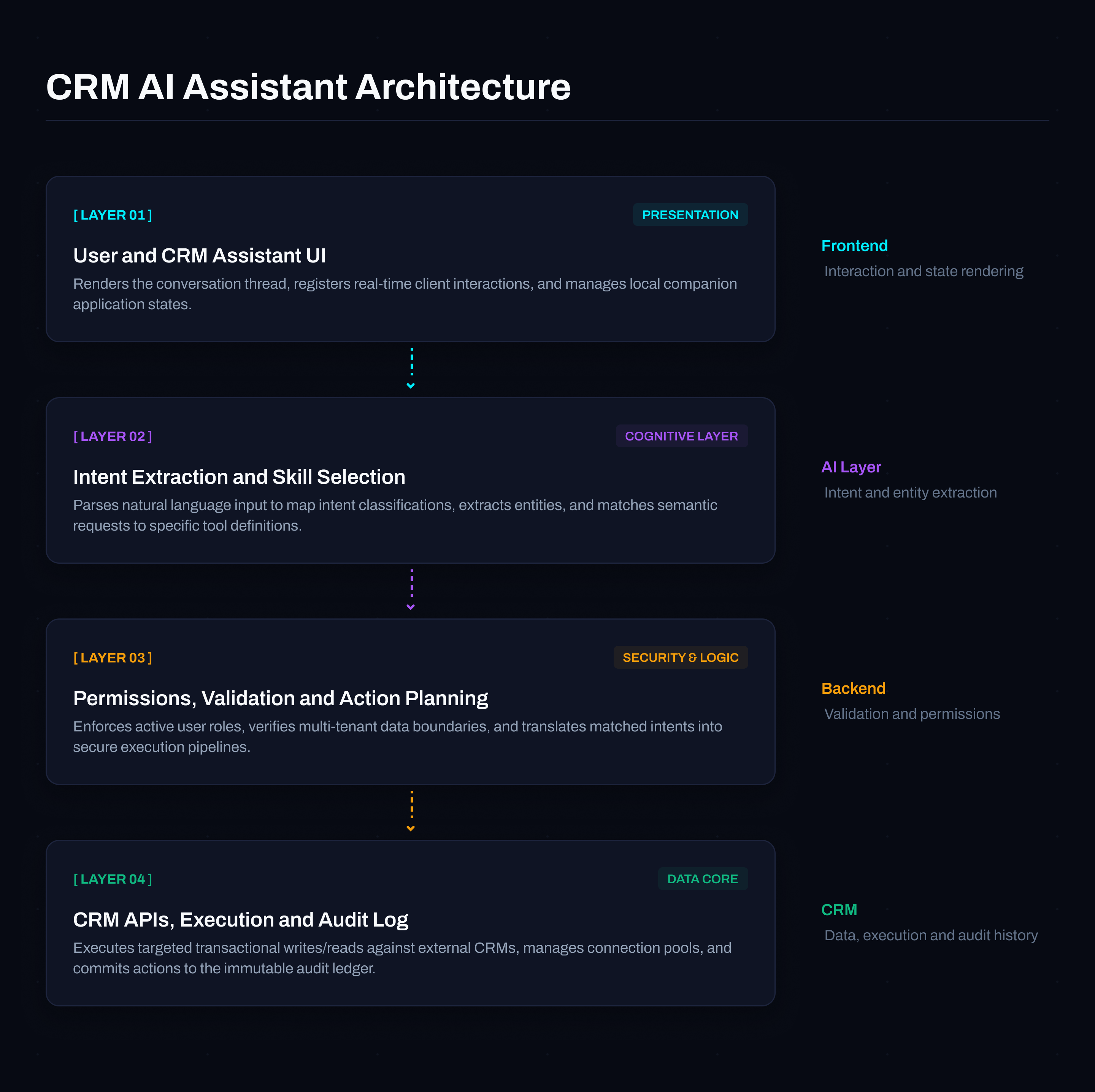
The early concept assumed the assistant could detect the current module, active filters, selected rows, and business unit. During technical alignment, the AI team confirmed that page-level context would not be available in the first release.
That limitation changed the interaction model. Automatic context chips were removed, universal skill-based actions replaced page-specific shortcuts, and every record became something the user or assistant had to resolve explicitly.
Revised design principle
The assistant must not invent information that is not present in context. Every record, account, user, or data set must be identified in the conversation.
Product principles
Five principles created a shared product boundary for design, orchestration, and engineering before the individual workflows were specified.
01
Every action identifies the records being read or changed instead of relying on phrases such as “this record.”
02
The model interprets and plans the task while registered skills control what the product can execute.
03
Read-only questions can resolve immediately; every CRM mutation requires a review and explicit approval.
04
Success, failure, missing information, permission issues, and unresolved results are communicated as distinct states.
05
Correction, retry, partial failure handling, and undo are designed into the primary flow where the operation allows them.
Capability model
The MVP was deliberately constrained to querying CRM data, finding and summarising records, creating records, managing tags and supported fields, and restricted account operations. This converted an open-ended promise into a system the team could validate and ship.
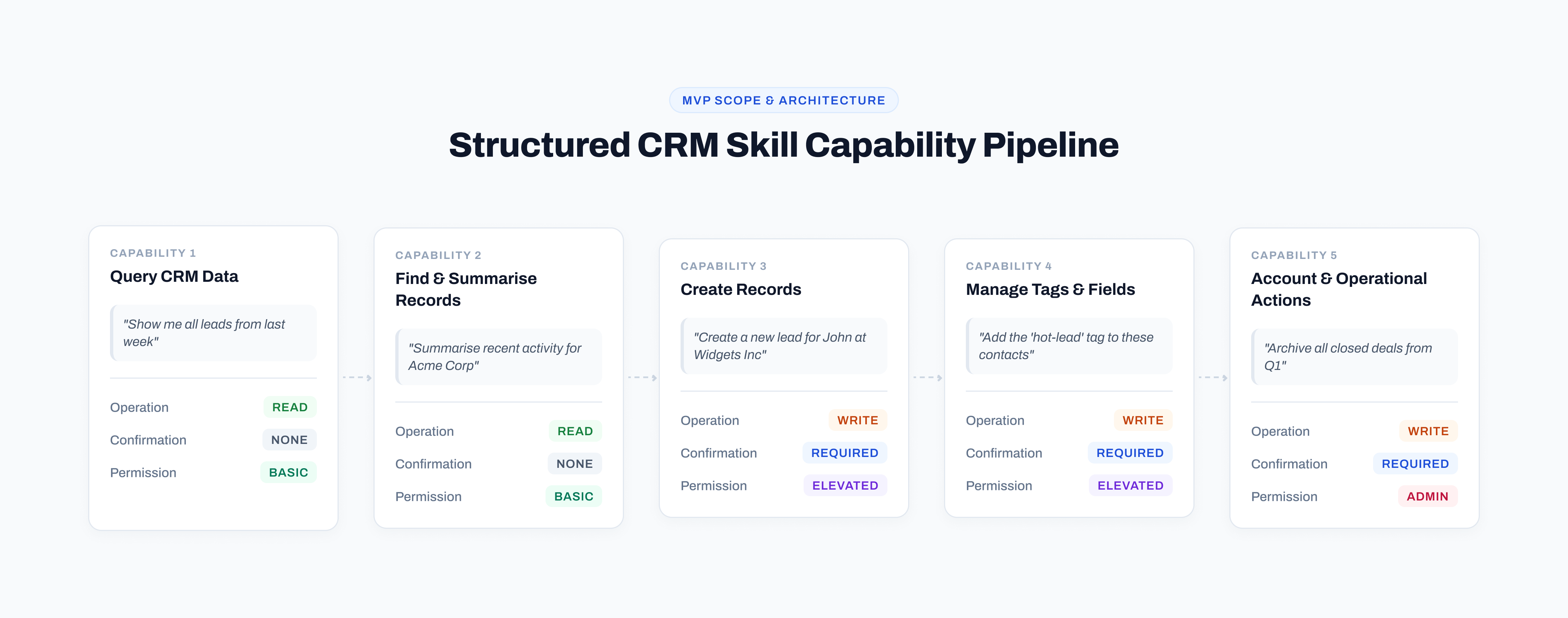
Skill contracts
Each capability became a registered skill describing its entity types, required inputs, permission, confirmation, bulk-action, undo, and risk rules. The model could identify a request, but the contract determined what the application was allowed to do.
Skill definition · JSON contract
{
  "id": "add_lead_tag",
  "name": "Add lead tag",
  "supportedEntityTypes": ["lead"],
  "requiredInputs": ["recordIds", "tagId"],
  "requiredPermission": "leads.update",
  "supportsBulkAction": true,
  "requiresConfirmation": true,
  "supportsUndo": true,
  "riskLevel": "standard_change"
}
Entry experience
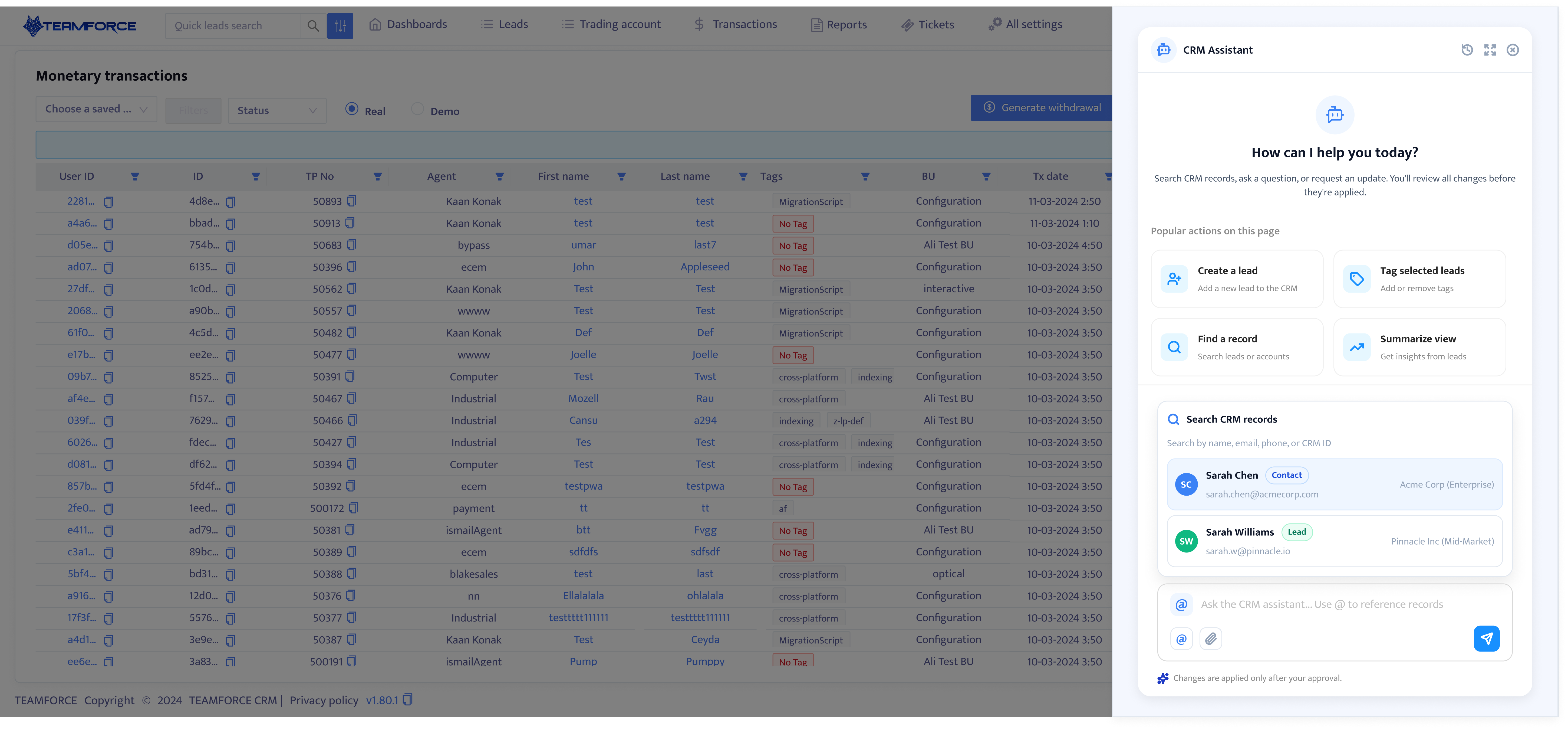
“How can I help?” was familiar but too vague. The revised entry state exposes supported skills, gives users useful starting points, and states that records may need to be identified and changes are only applied after approval.
Capability-led prompts remain consistent across the CRM because they are tied to supported skills, not whichever page happens to be open.
Explicit entity resolution
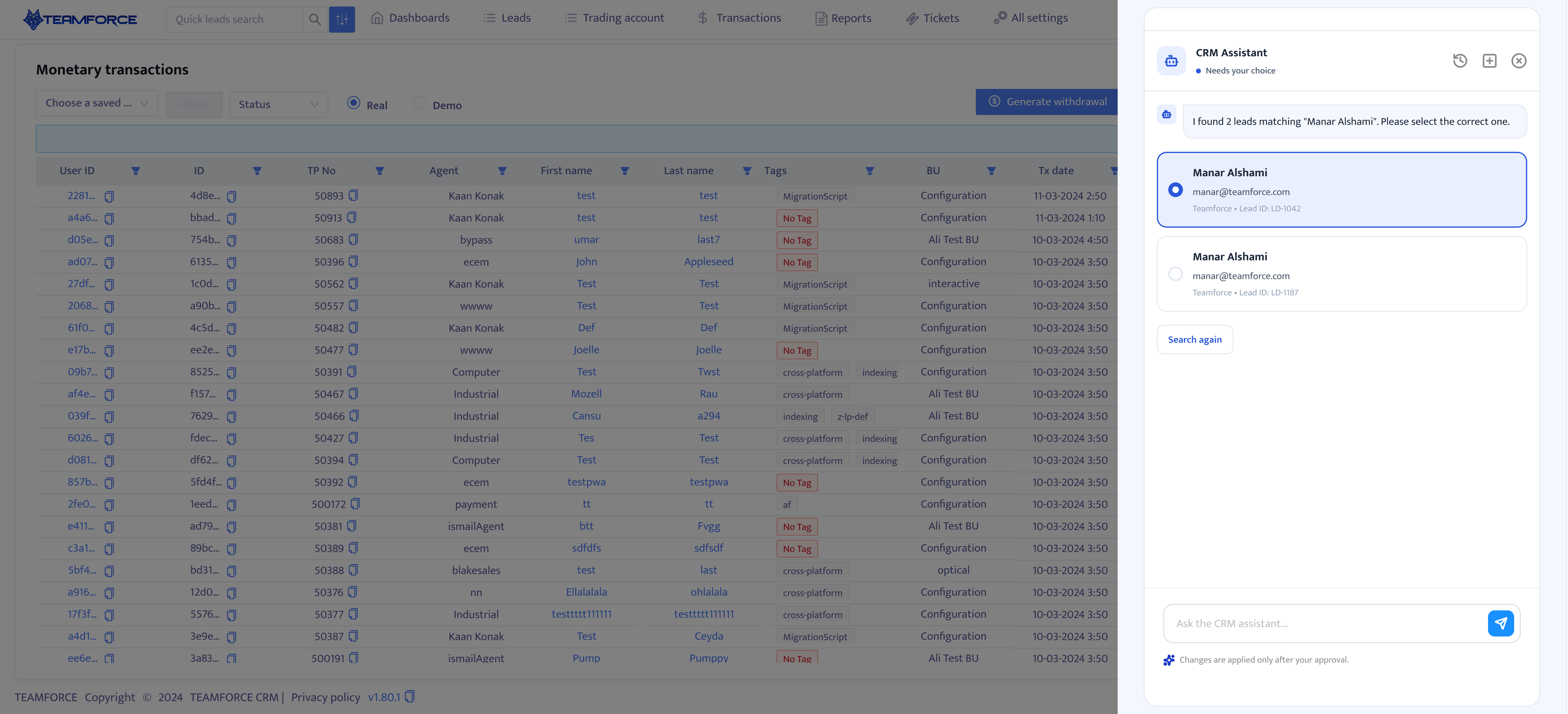
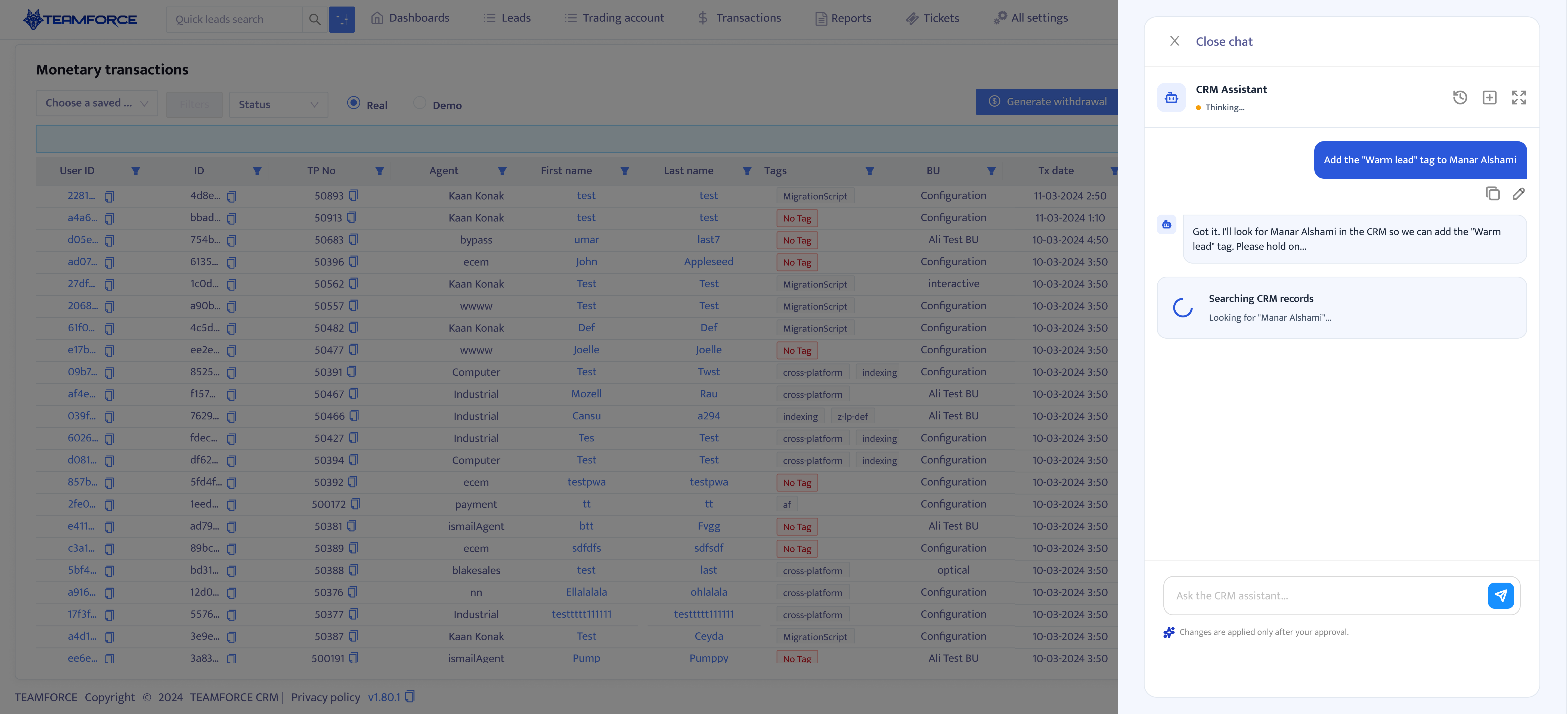
Typing @ opens permission-aware search across leads, clients, affiliates, users, and business units. A selected result becomes a readable inline chip carrying structured CRM type and ID data, so the backend receives a validated identity instead of a name the model has to interpret.
Natural-language extraction
The assistant classifies intent, extracts the fields already present, resolves human-readable values to CRM entities, validates them against CRM rules, and asks only for details that are missing or ambiguous.
This produces a hybrid interface: natural language provides speed, field-specific clarification provides precision, and review cards provide control before any mutation.
From resolution to execution
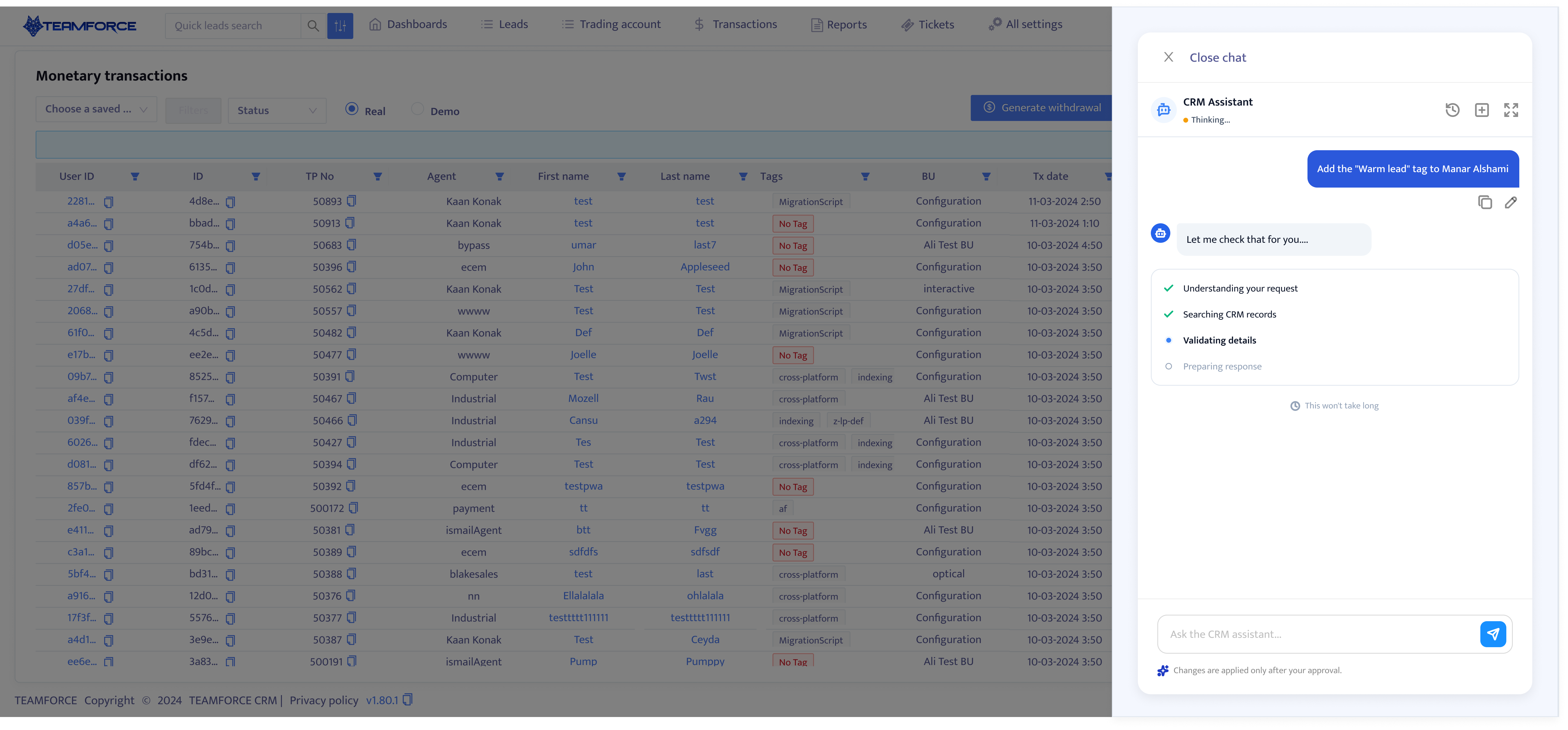
Validation and execution are presented as a readable operational sequence instead of a generic thinking state. Users can see when the assistant is searching, validating, checking access, preparing a review, waiting for approval, or applying a change.
01
Understand
02
Resolve
03
Validate
04
Check access
05
Review
06
Approve
07
Execute
Measuring the release
Because the assistant was still at MVP stage, the case study does not present unverified performance claims. The measurement plan focuses on whether the product actually reduces work while preserving reliability and user control.
Outcome
The final design moved the assistant from a generic chatbot concept to an operational system that communicates what it knows, what it still needs, and exactly what it is about to change.
User intent
Explicit entities
Skill contract
Permission validation
Review
Execution
Audit
Recovery
Reflection
This project reinforced that designing AI products requires more than shaping a conversation. The essential work is deciding how responsibility is divided between the model, the application, and the person authorising the result.
When page awareness proved technically unrealistic, the answer was not to disguise the limitation. The interaction changed so users could provide explicit context and the application could validate it. That made the MVP more honest, safer, and easier to extend skill by skill.
The strongest AI experiences do not hide uncertainty. They turn it into a clear moment for context, validation, and control.