Factual CRM data
Deposits, lifetime value, trading activity, status, communication records, lead source, and lifecycle stage establish the underlying client context.
ClientLens is an AI-powered feature within an enterprise CRM that helps account managers find clients with similar behavioural patterns, understand what drives those similarities, and identify appropriate engagement opportunities.
It brings trading activity, financial behaviour, CRM notes, communication habits, risk indicators, lead-source data, and lifecycle engagement into one investigation workflow.
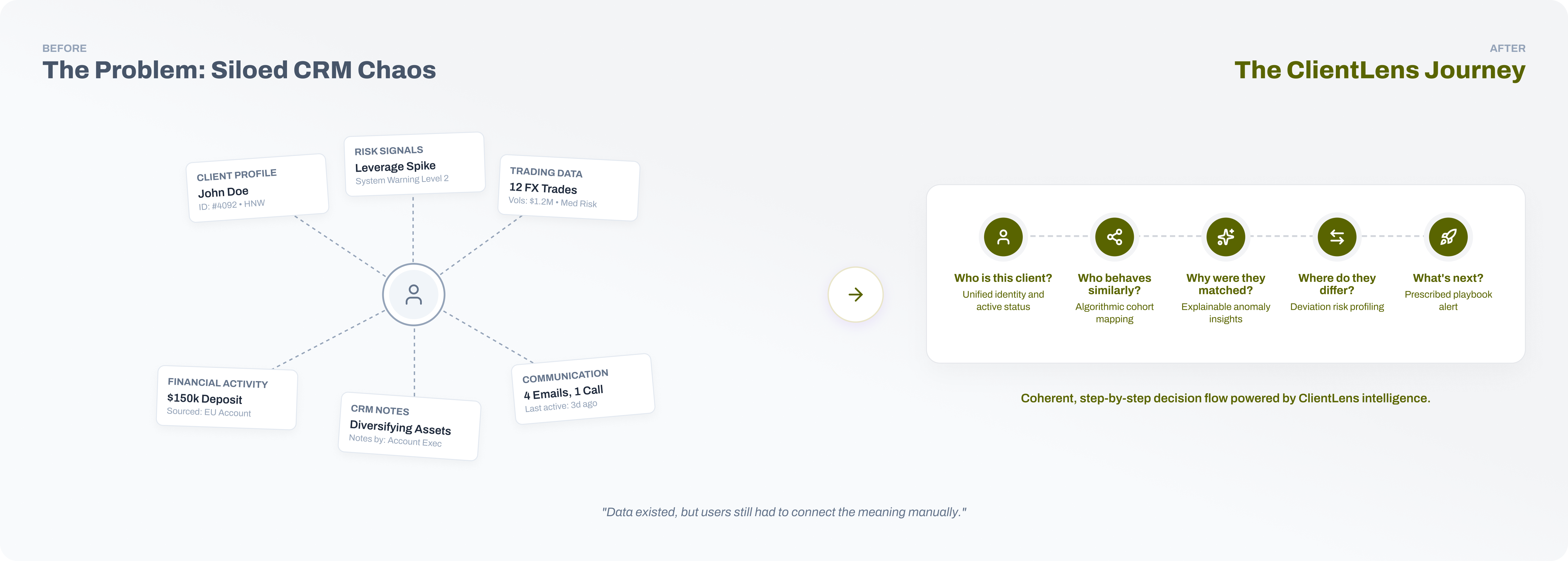
The CRM contained extensive client information, but it was distributed across profiles, transactions, trading behaviour, communication records, and risk modules. Finding comparable clients required account managers to move between these surfaces and mentally reconcile unrelated data points.
Access to data was not the core problem. Users needed to understand which behaviours produced a match, which dimensions mattered most, where two clients differed, and what action—if any—should follow the analysis.
How Might We?
Information Model
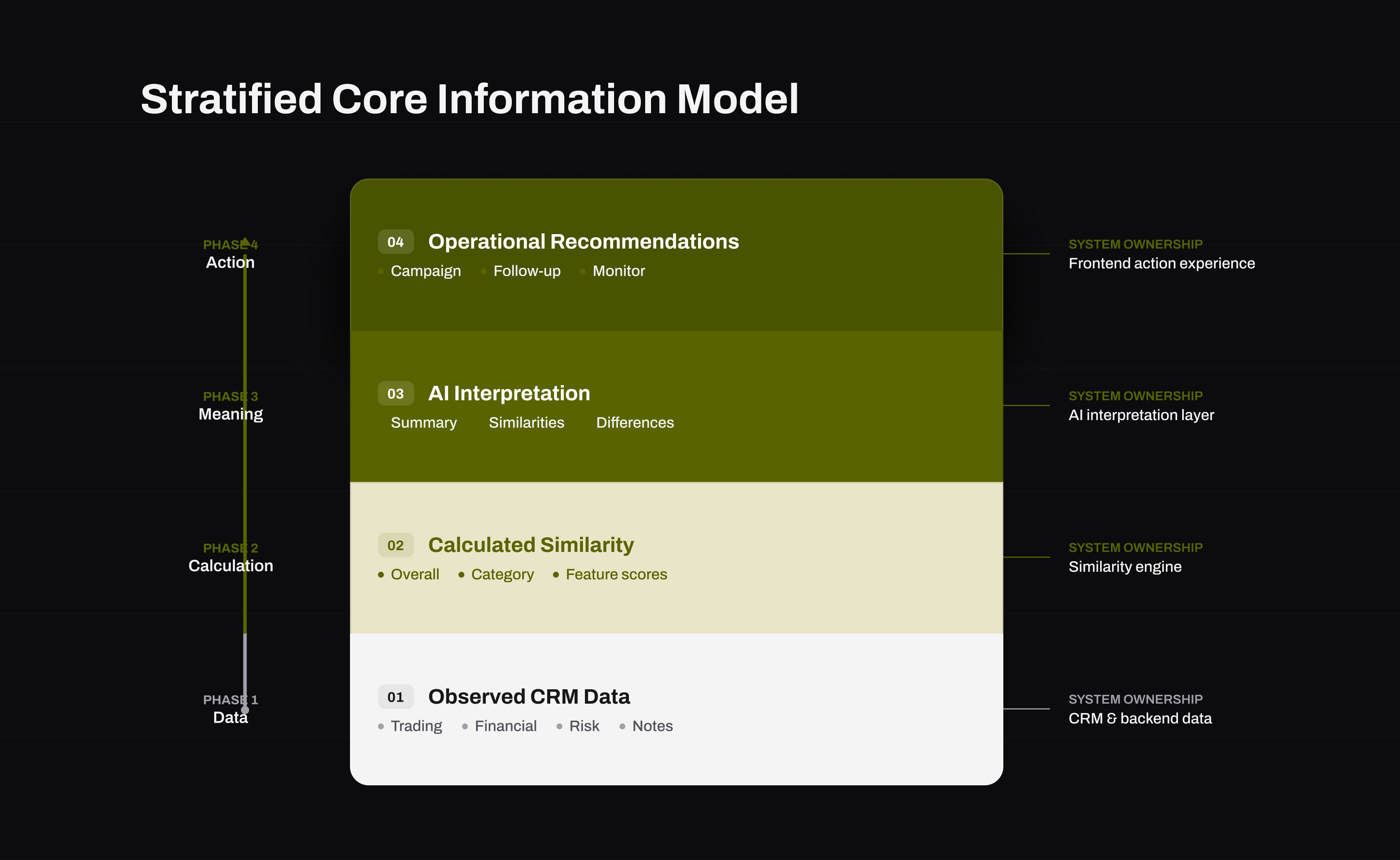
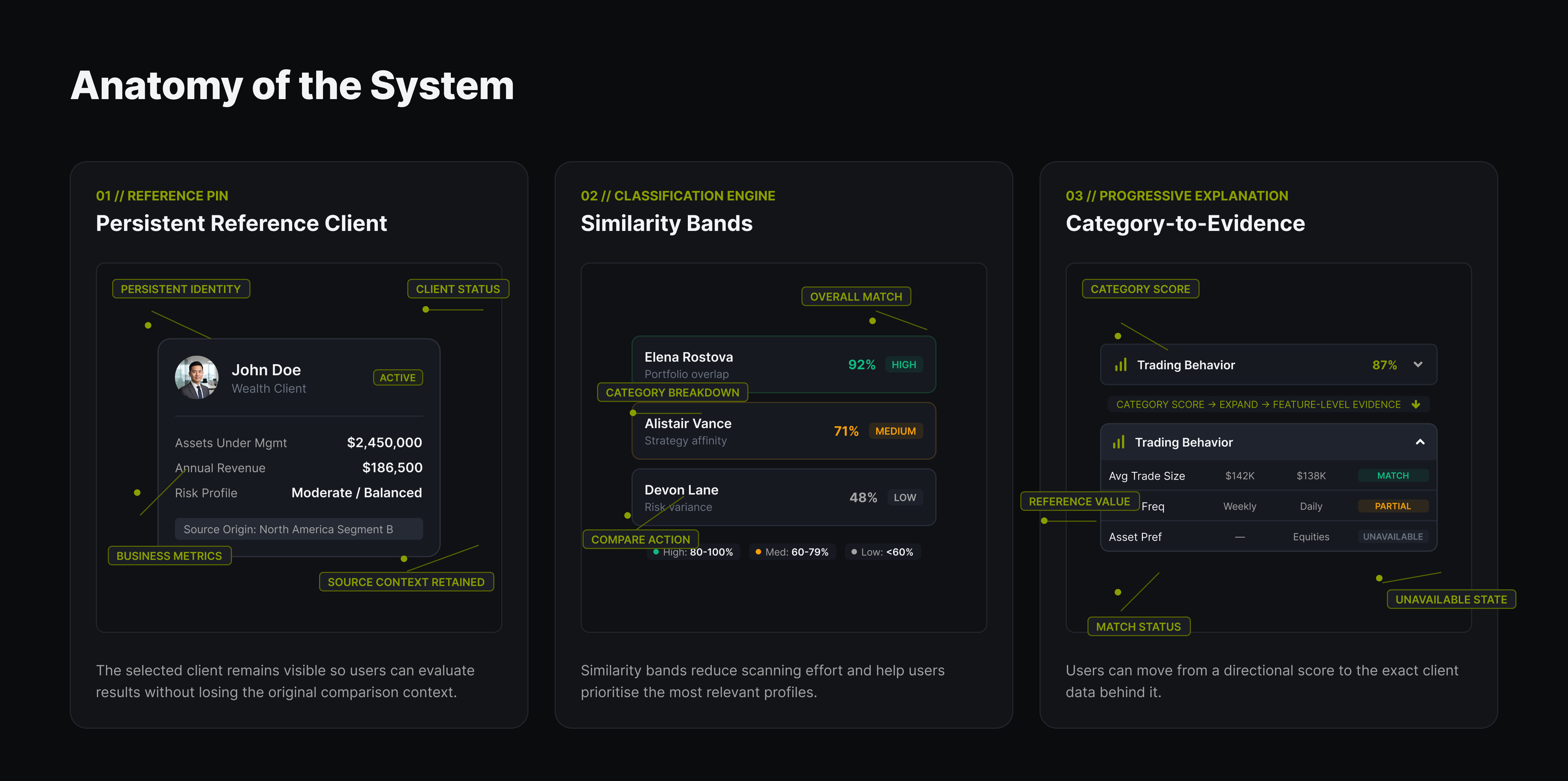
ClientLens combines four distinct information layers: factual CRM values, calculated similarity data, AI-generated interpretation, and operational recommendations. Separating these layers keeps generated insight from being mistaken for raw customer data and makes the reasoning easier to inspect.
Deposits, lifetime value, trading activity, status, communication records, lead source, and lifecycle stage establish the underlying client context.
Overall scores, category percentages, feature-level matches, confidence bands, and unavailable comparisons form the structured comparison result.
AI-generated explanations clarify why a match matters, while operational recommendations translate the evidence into a reviewable next step.
The experience was reframed around five questions: Who is this client? Who are the similar clients? Why were they matched? Where do they differ? What should the user do with the information?
This progression moves from client context to discovery, interpretation, evidence, and action. It gives account officers a concise path while preserving deeper comparison detail for analysts who need it.

Product Journey
The shipped workflow begins with a known client, ranks relevant comparisons, preserves both clients inside a shared comparison workspace, and introduces natural-language interpretation only when the user intentionally begins a detailed comparison.
Product Journey
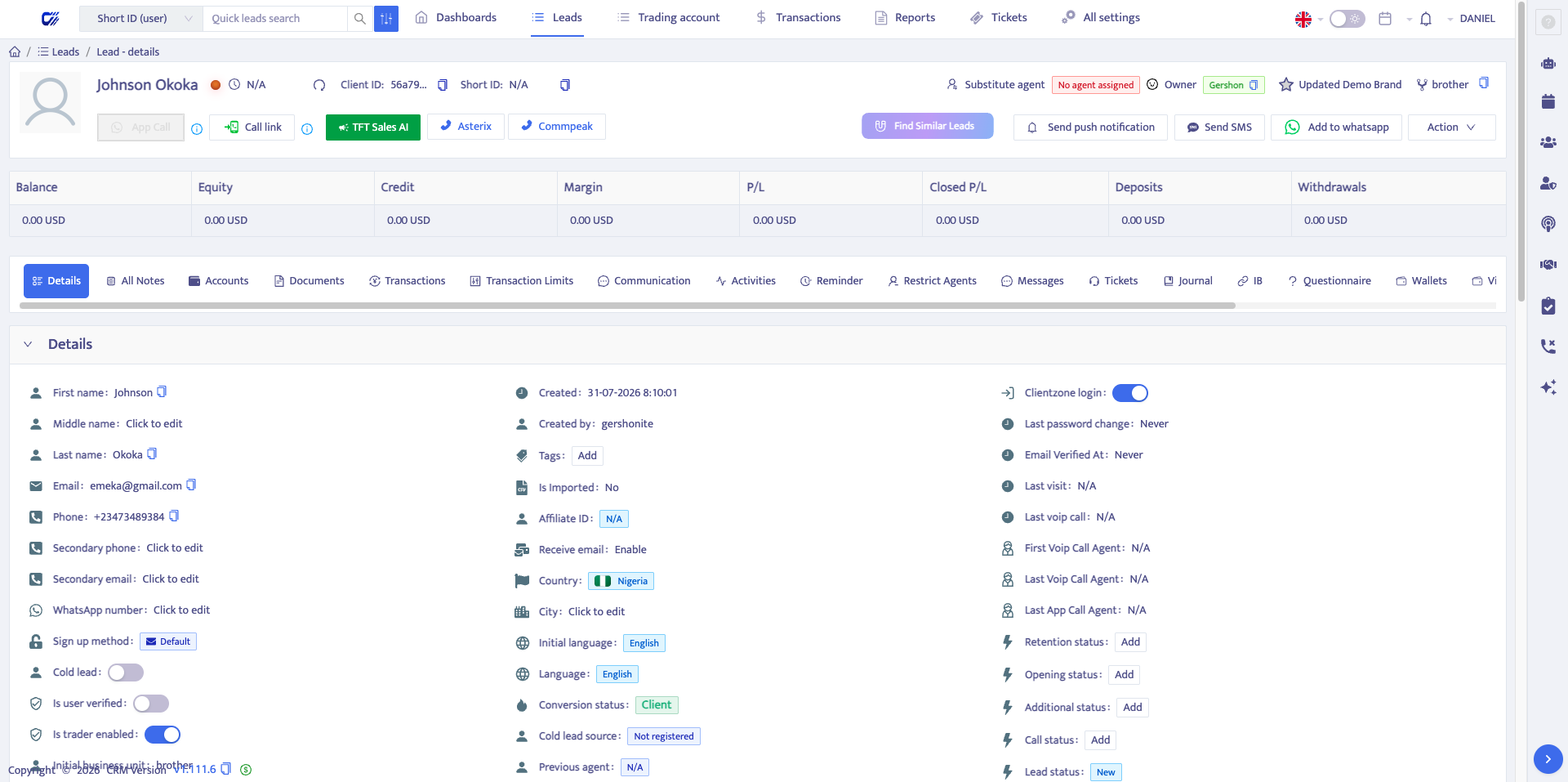
The journey starts with identity, status, segment, deposits, lifetime value, trading activity, risk, redeposit likelihood, engagement, and profile-data availability.
Anchoring Find Similar inside the client profile keeps the investigation grounded in a reference client and a clear business hypothesis.
Product Journey
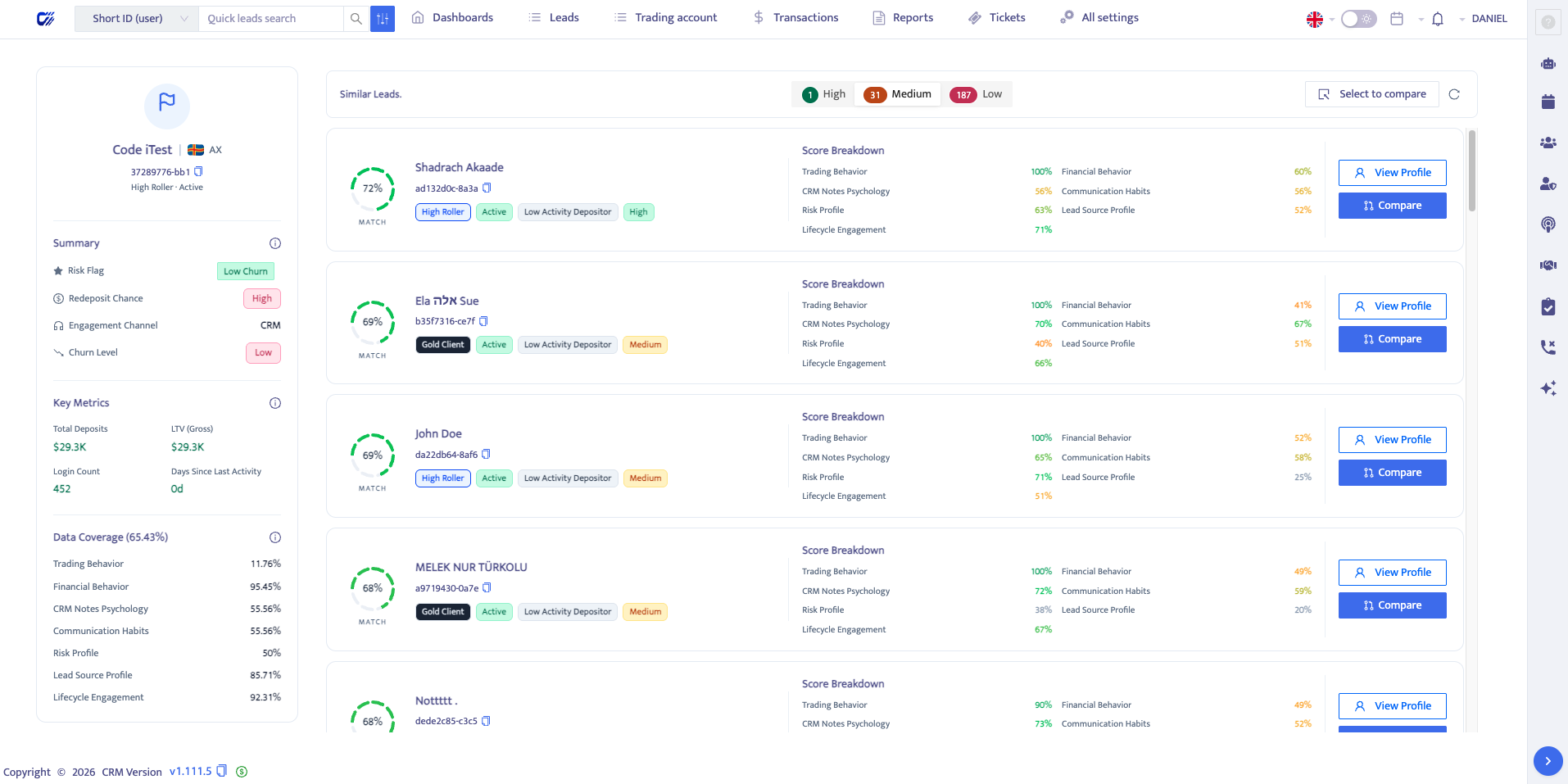
Ranked results prioritize overall match strength, category-level signals, identity, status, and segment so users can decide whether a result is relevant enough to investigate. High, medium, and low bands make a large client set manageable without generating a paragraph for every result.
Comparison Workspace
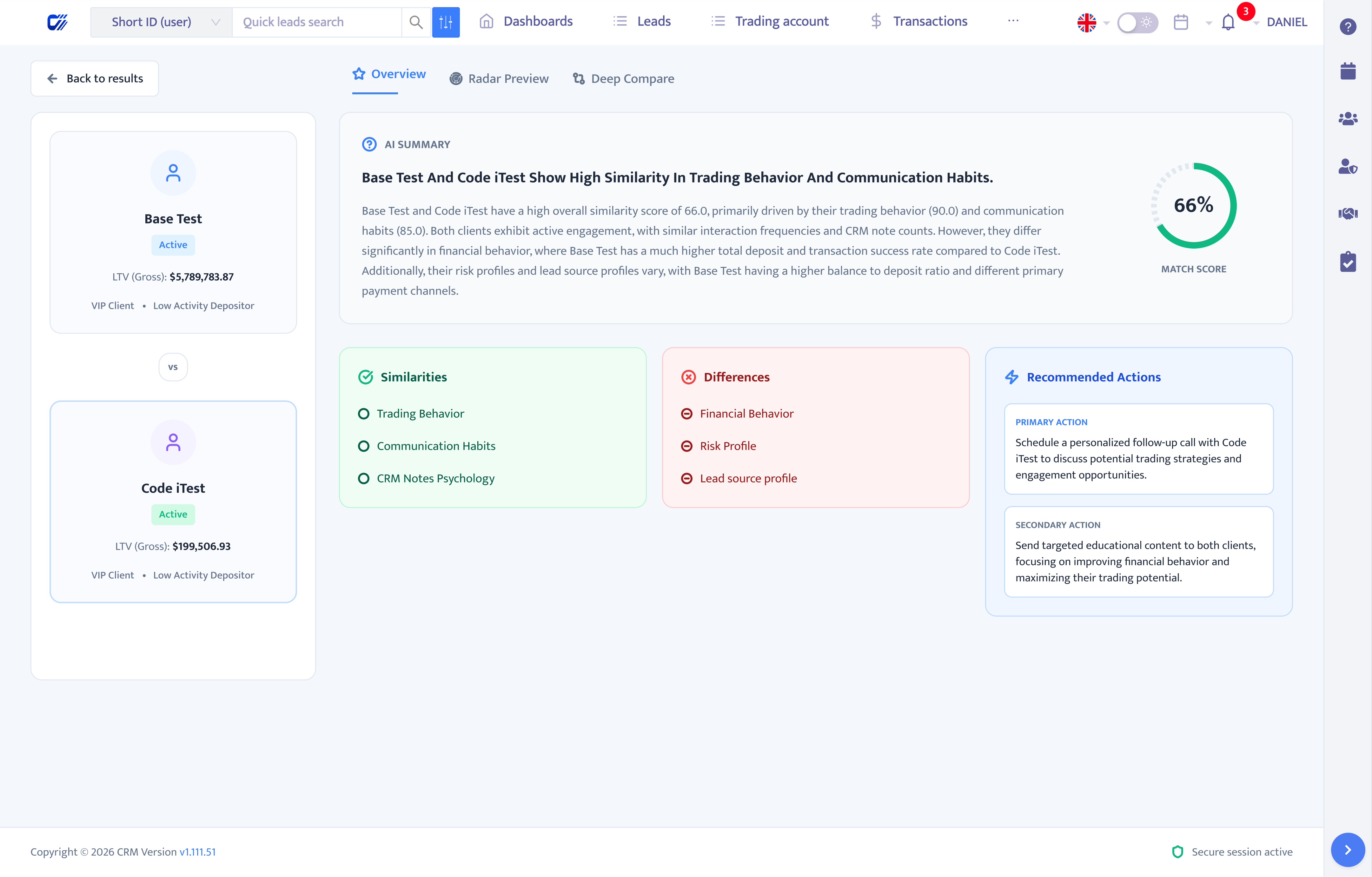
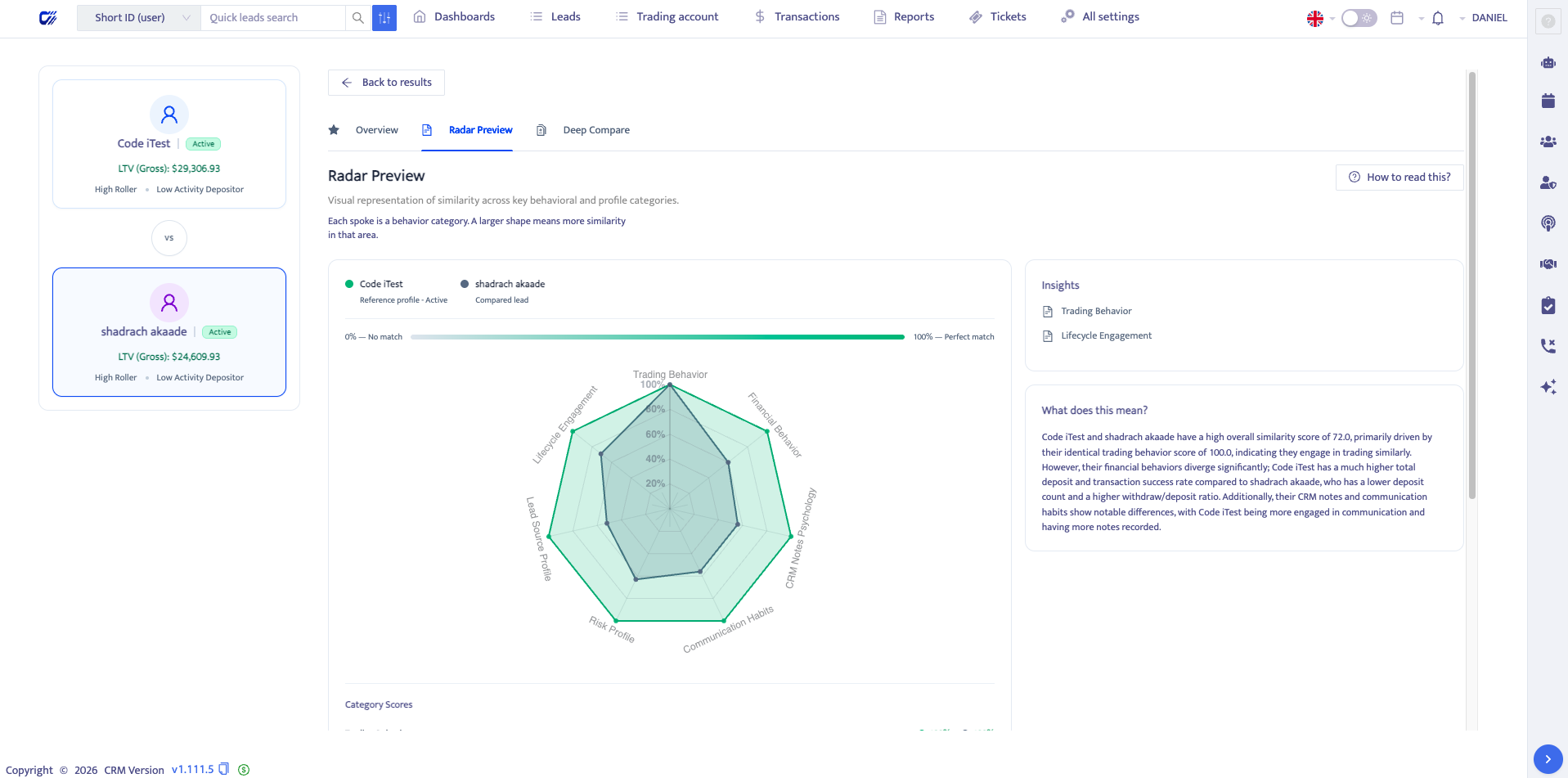
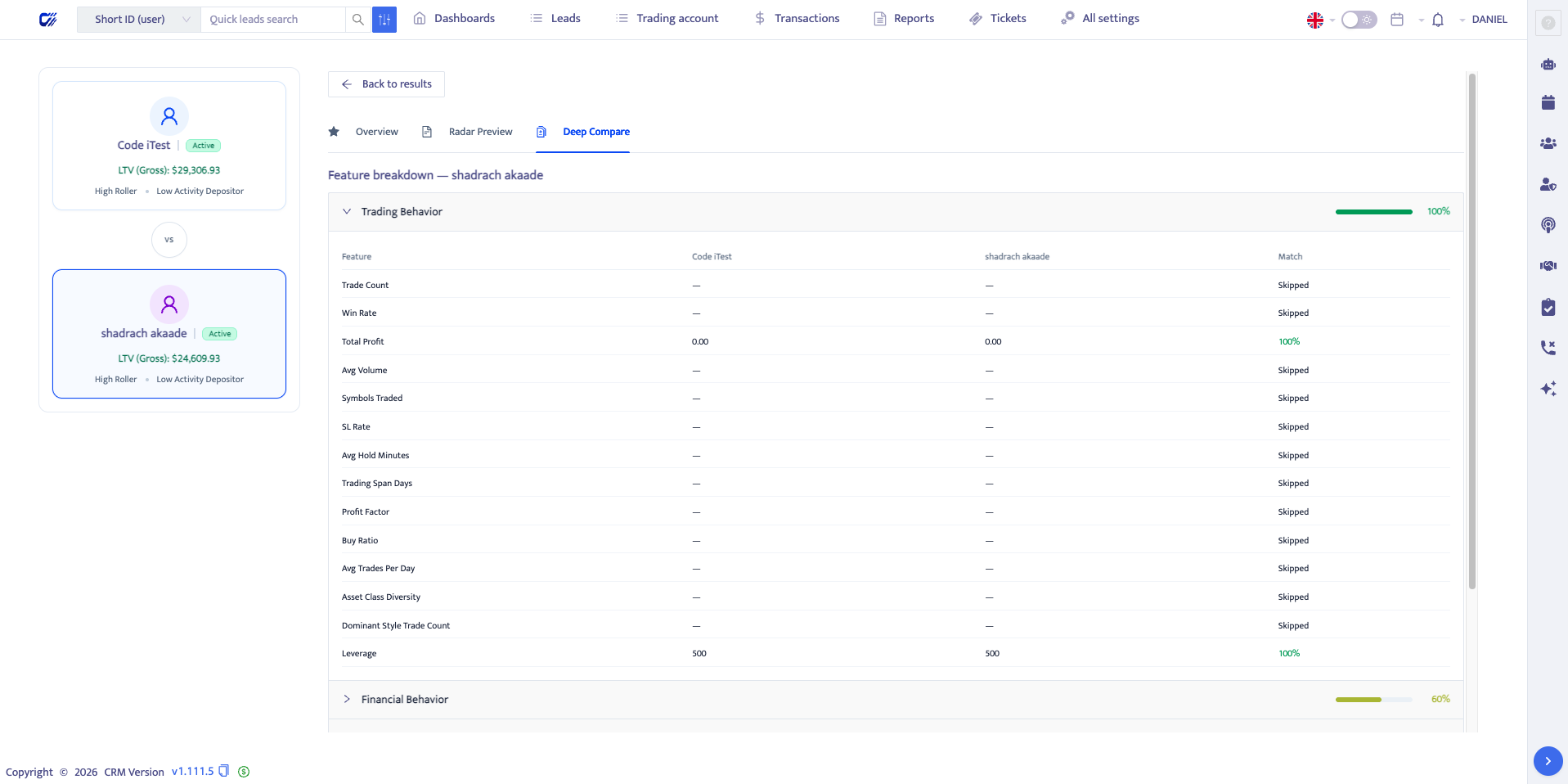
The same client pair remains visible across Overview, Radar Preview, and Deep Compare. This shared state prevents each view from feeling like a disconnected report and reduces the need to repeatedly select or reconstruct context.
Structured scores remain available even when an AI summary cannot be generated, providing graceful degradation without hiding the underlying evidence.
Outcome
ClientLens is live within the CRM. It gives relationship managers and operational teams a structured way to begin from a known client, discover comparable profiles, understand why they match, inspect differences, and use visible evidence to inform engagement decisions.
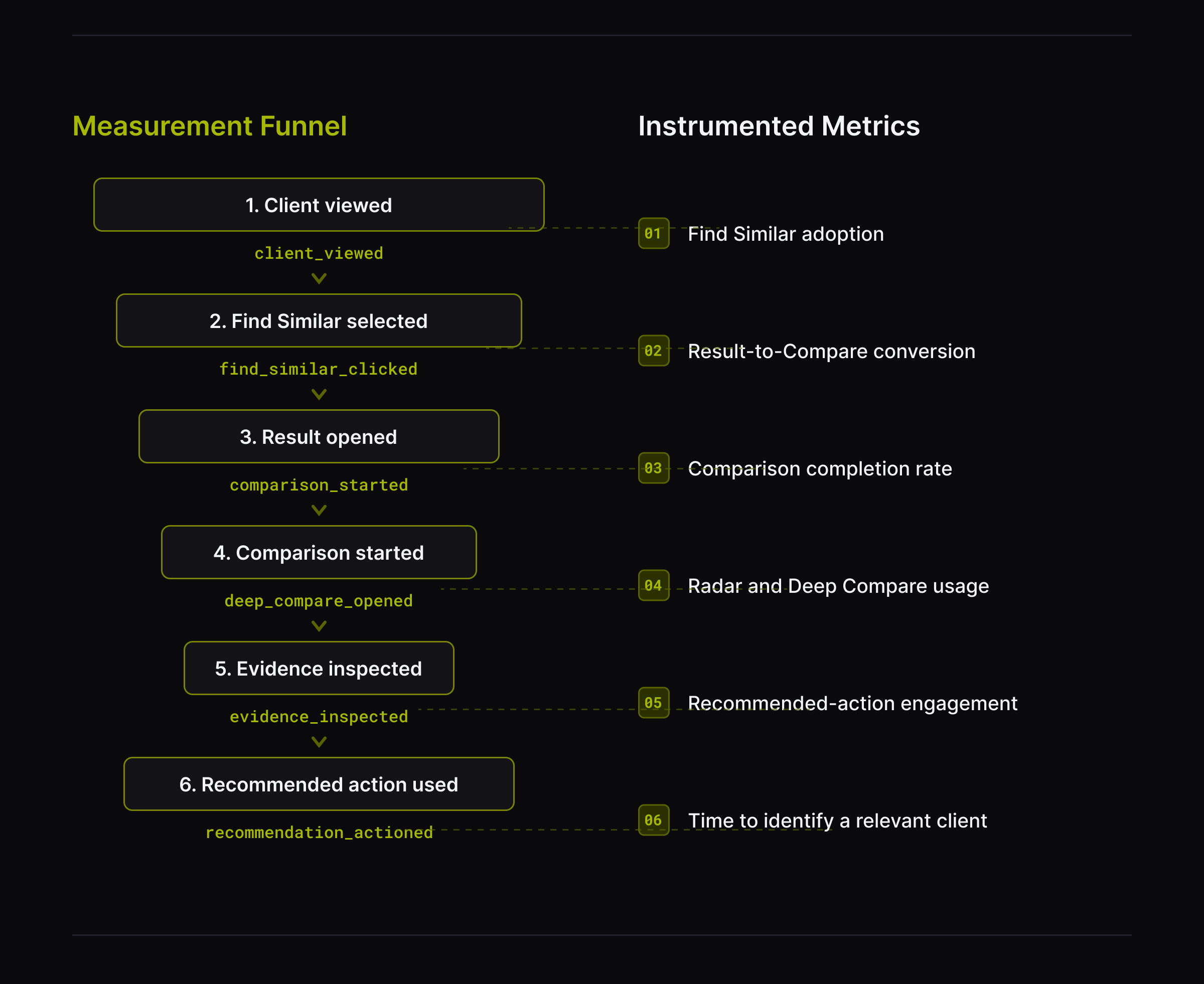
Verified usage metrics are not yet included. The next measurement phase will track time to identify a relevant comparison, progression from results to comparison, use of deeper evidence views, recommendation engagement, completion and abandonment, adoption, and operational outcomes after recommended actions.
Reflection
The most important part of an intelligent feature is the structure around its output: where it appears, what evidence supports it, how incomplete data is handled, how users inspect or challenge it, and how it connects to an operational decision.
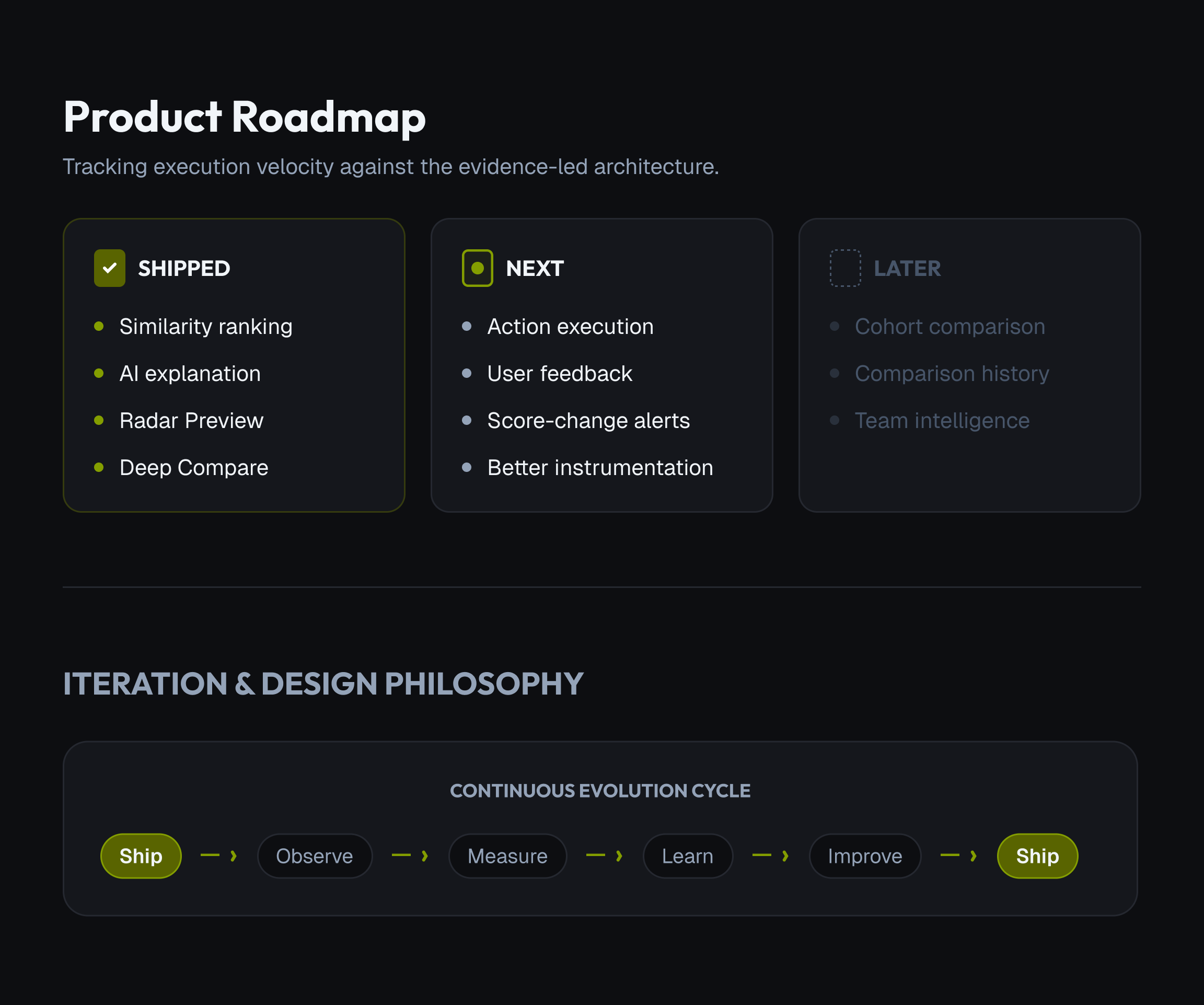
Future iterations can connect a recommendation directly to a task, outreach sequence, or campaign while collecting feedback on whether the suggestion was useful or acted upon.
Comparison history, score-change visibility, cohort comparison, and deeper feature-contribution controls can extend the same product model without creating a separate AI experience.
Closing Thought
The final experience does not ask users to trust a black-box recommendation. It helps them move from client context, to pattern discovery, to AI interpretation, to evidence, and finally to action.